Manual Entry
Manual entry is still available from a Table. Use it when a transaction did not come from a company-card import or needs special handling.
Add Entries Manually
- Open Tables.
- Open the relevant Table.
- Select Add Entries.
- Choose one or more documents.
- Set or confirm the start date.
- Let GrantKeeper fill fields from the document.
- Review each field.
- Use regenerate field or fill all when extraction is missing or wrong.
- Check possible duplicates.
- Add conversion evidence for non-GBP entries.
- Save the entry.
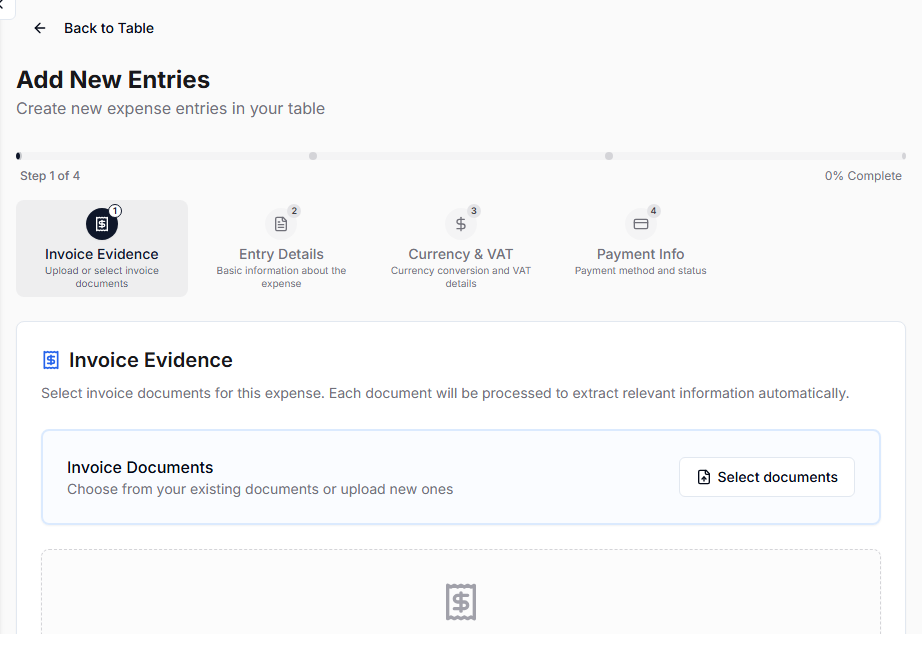
The start date matters because it gives AI context for ambiguous dates. If a receipt date is wrong, check the start date and extracted document data.
The payment step includes the grant field, which is a dropdown of the organization's selectable grants. Create the grant on the Grants page first if it is not listed.
Regenerate a Field
Use field regeneration when a specific value is wrong and you want AI to re-check only that field. Always review the new value before saving.
Skip and Delete
When adding entries, skip moves past a document without creating an entry. Delete removes the document. Use delete only when the file is truly unnecessary.