Topic 12 of 14 · Review an Import Batch
Save to Tables
Use Save to Tables when the batch is ready.
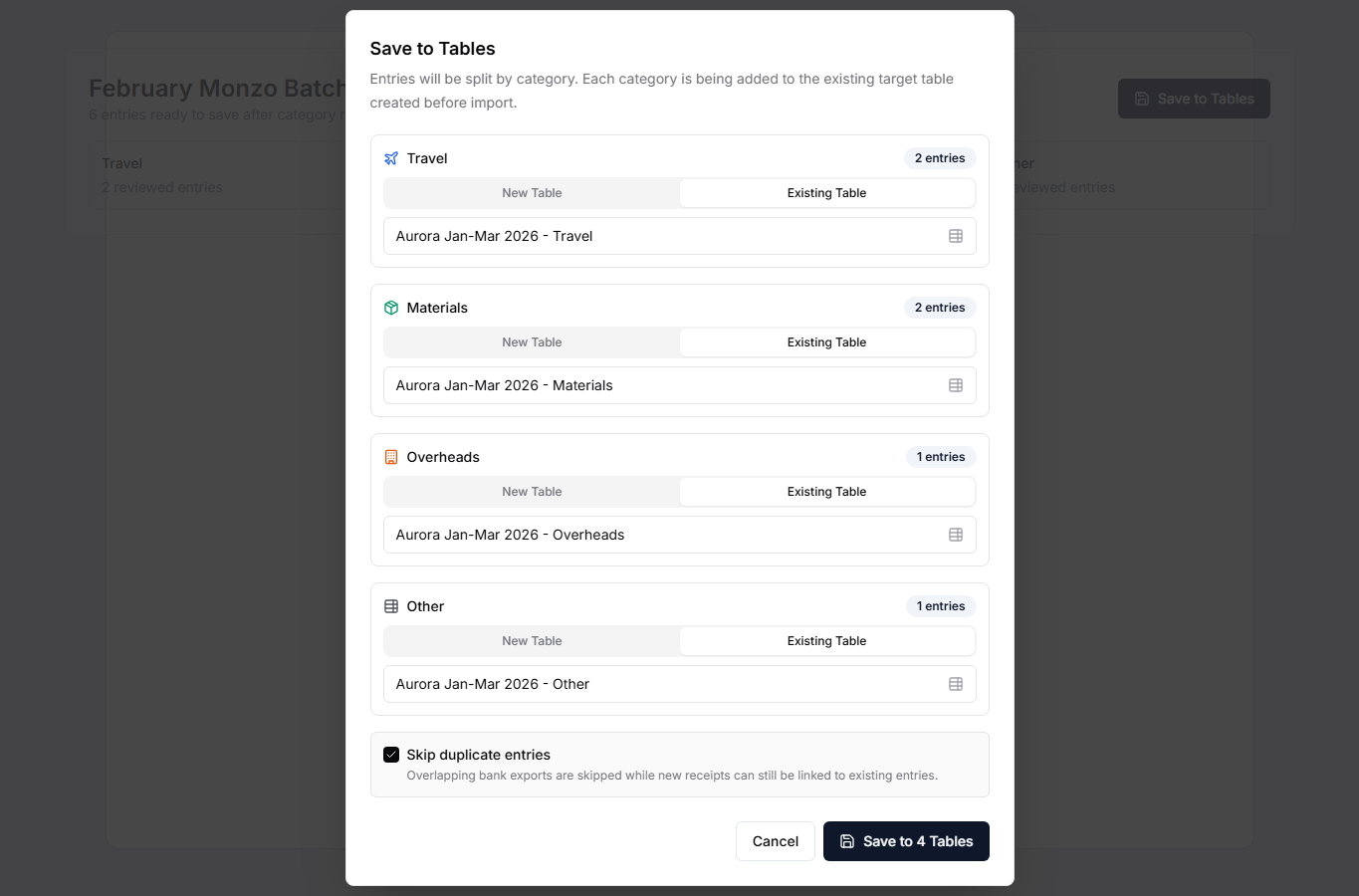
You can:
- create one new table,
- add entries to an existing table,
- split entries into category-specific tables,
- skip transactions that are already saved.
The preferred path is category-based saving into existing Tables. Select Existing Table for Travel, Materials, Overheads, and Other, then choose the Tables you created for the grant and period. Skip transactions already in your tables is on by default so overlapping transactions are skipped, while a receipt found for one is added to the existing entry if it has none. If every transaction is already saved, no empty Table is created.
You can select destination Tables from different table groups in the same save, including during statement re-upload. Existing group memberships are preserved. When multiple groups are involved, ungrouped existing Tables stay ungrouped and newly created Tables form a separate group. Duplicate checking works at two levels. A transaction whose bank transaction ID is already saved in any Table in the organisation is skipped, and the batch page marks it Already in that Table. When adding to an existing Table, an entry there with the same day, amount and vendor also counts. Transactions that only look like an entry recorded by hand from its invoice are listed under May already be entered for you to decide.
After saving, the entries and evidence become saved Table records, and the batch moves to Saved to tables. Finish receipt review before saving where possible.