Step 1 of 8 · Tutorial: Process a Month of Receipts
Prepare Settings and Target Tables
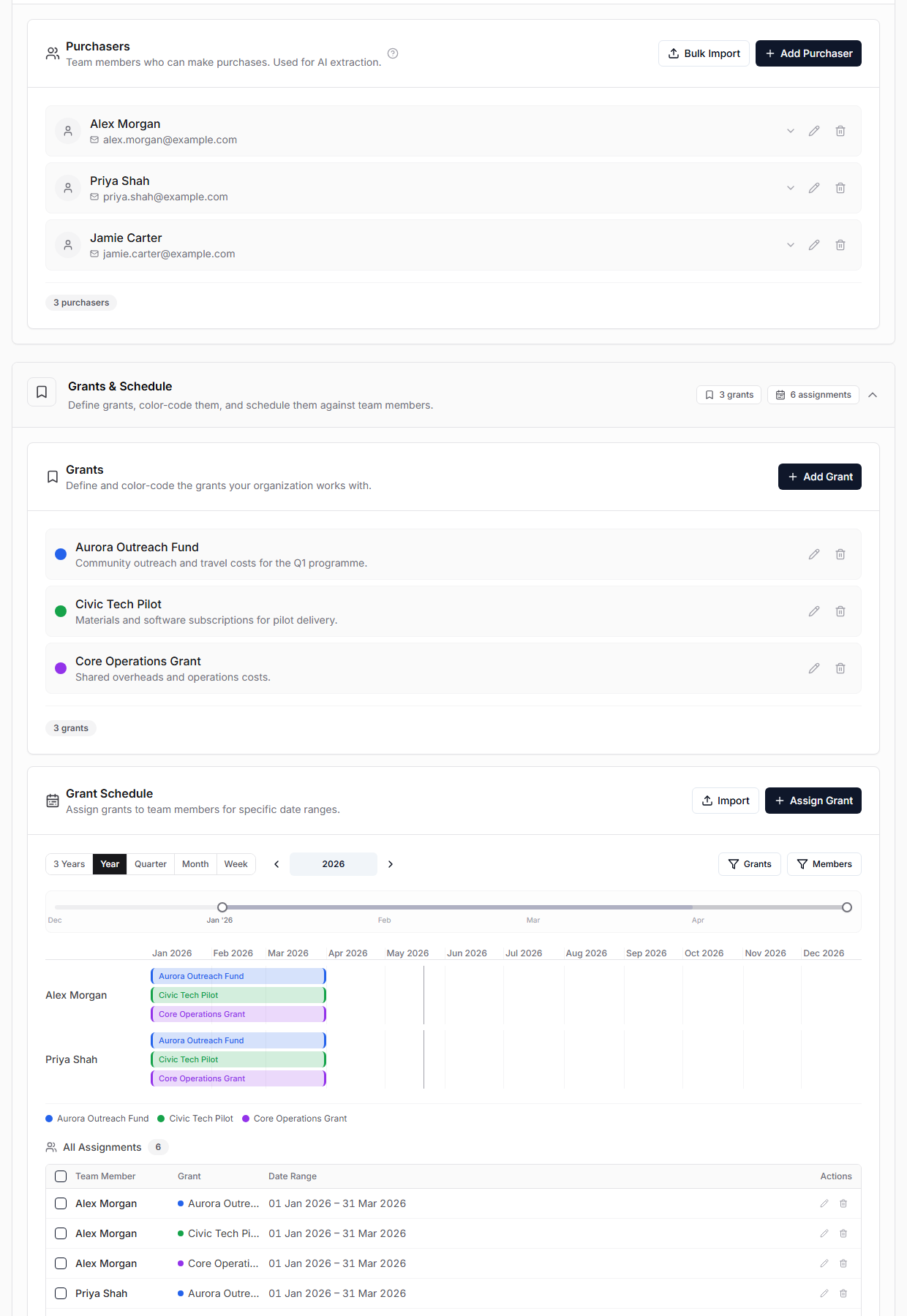
Open Settings and make sure the organization has:
- purchasers for the people who spend money,
- email addresses for each purchaser,
- grants with clear names and colors,
- grant assignments if you use timesheets or schedule-based reporting.
Purchaser emails matter. GrantKeeper uses them to match sender emails, receipt metadata, chaser emails, imported transaction owners, and timesheet people.
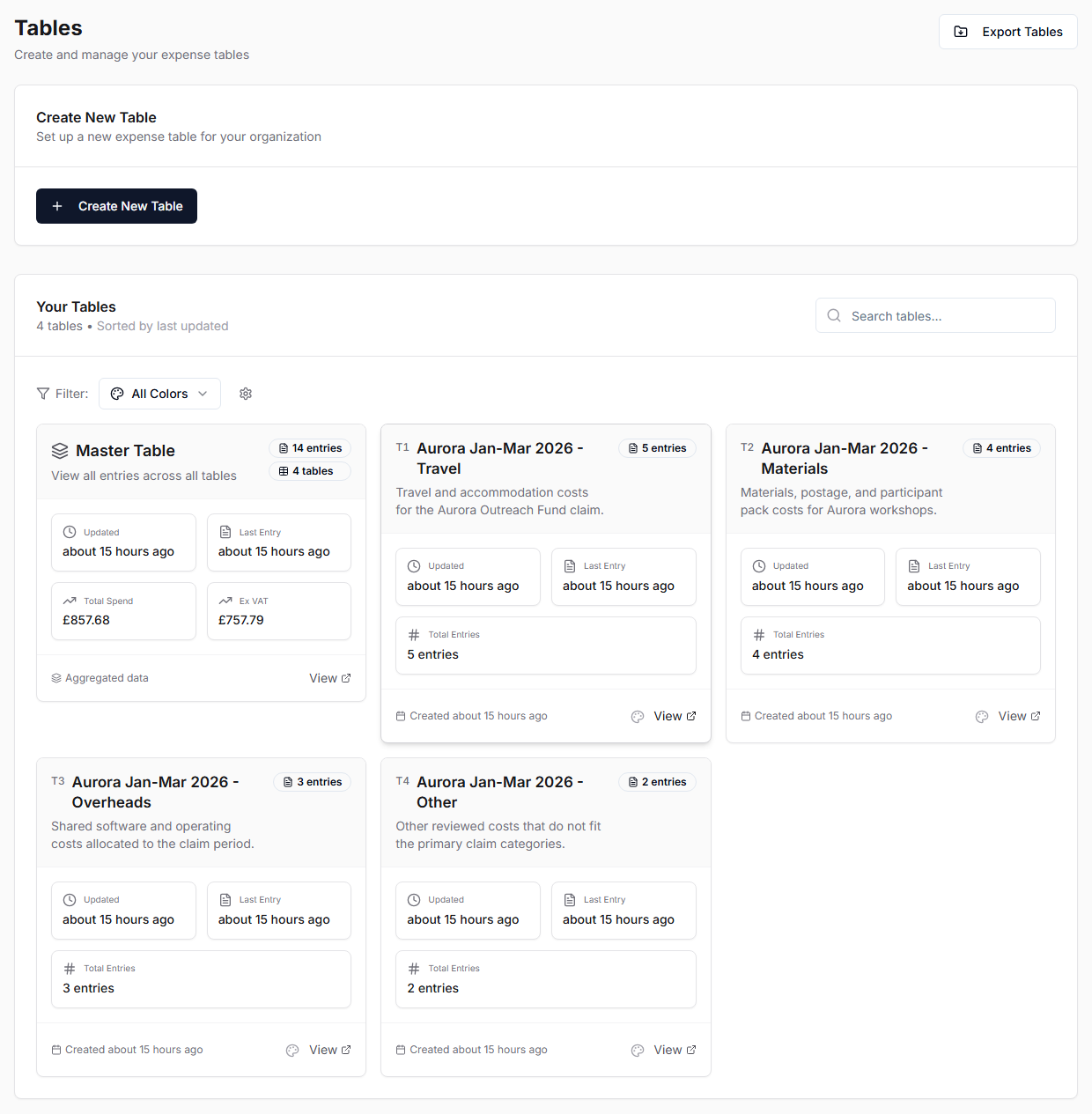
Then open Tables and create the Tables you want to export later. In the normal workflow, create one Table per grant, period, and category before importing bank statements.
For example:
- Aurora Jan-Mar 2026 - Travel,
- Aurora Jan-Mar 2026 - Materials,
- Aurora Jan-Mar 2026 - Overheads,
- Aurora Jan-Mar 2026 - Other.
Use a consistent base name and category suffix. This makes the tables easier to select during Save to Tables and easier to recognize during later Re-upload previews.