Topic 16 of 18 · Tables
Re-upload a Table
Use table re-upload when an existing Table should be updated from a newer bank export for the same period. This is the main way to pull in receipts after a purchaser has added them to Monzo or Revolut.
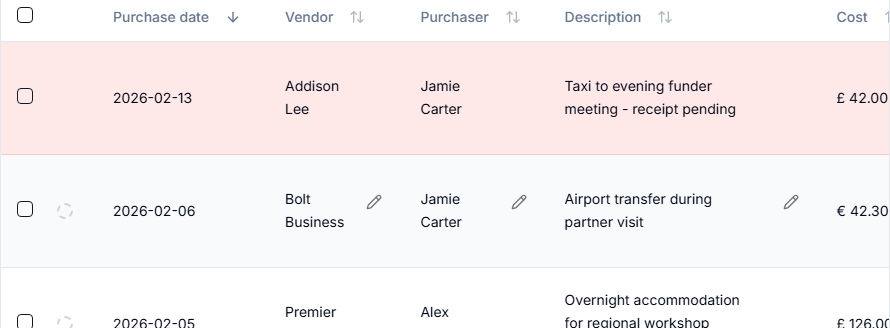
- Open any related Table, such as the Travel or Materials Table for the claim period.
- Select Re-upload.
- Upload the fresh bank export for the same date range.
- Review the preview.
- Apply newly available receipts and description changes.
- If the export includes new transactions, use Auto Categorise, check the categories, and select the existing target Table for each category.
- Apply the changes.
The preview can also detect transactions that already exist in other Tables. If a receipt belongs to an entry in another Table, GrantKeeper can add the receipt there. If a transaction already exists elsewhere and does not need a receipt, it is skipped.
Revolut payments that never completed (reverted, declined, failed or pending) are never offered as new entries. If an entry already exists for a payment the export shows Revolut reverted, declined or failed, the preview lists it with its Table so you can delete it.
Refunds are handled the way a statement handles them:
- A payment refunded in full is not offered as a new transaction. It is listed under Refunded in Full with its refund, and nothing is added for it. That covers a refund in the same export, and a payment matched with its refund in a statement's Money-in review. If the refund was for something else, choose Add anyway to add the payment as a new transaction.
- If a refunded payment is already an entry, in this Table or another, the preview offers Record Refund on that entry, so it is no longer claimed in full. It is selected when the payment matches the entry by bank transaction ID and the whole amount came back. A refund that only looks like it belongs to an earlier entry in this Table is offered unselected, for you to check.
- What you decided in a statement stands: a credit you marked as income there is not treated as a refund here, a credit the statement paired with another payment stays with that payment, and a credit you dismissed or unpaired is never recorded on an entry here.
- A credit you dismissed or unpaired in a statement still cancels a payment in the same export that is not in any Table yet, when it gives back the whole amount. Card holds are the usual case: Uber or a hotel reserves an amount, then releases it minutes or days later, and the export shows both. The payment is listed under Refunded in Full with a note naming the statement where the credit was dismissed. If that credit was really for something else, choose Add anyway.
- A credit that may be a refund but matches no entry is named in a warning. If it refunds a cost already in a Table, import the statement and record it with Check saved tables in its Money-in review.
- If an entry's amount changed after the preview was made, its refund is not recorded; re-upload the export to check it again.
A refund recorded this way shows on the entry like one recorded from a statement, and can be removed the same way.
Consistent table names help the preview preselect related category Tables. If the app does not preselect the right Table, choose Existing Table manually before applying.